-1.png?width=300&height=51&name=FastJobs%20FastGig%20Logo%20(1)-1.png)
The navigation menu located on the left-hand side of the panel provides a fast browsing experience. It is accessible to all pages. This guide walks you through the menu items.
Home
Your homepage provides an at-a-glance overview of your progress and metrics. It simplifies tracking essential details like today's attendance, active shifts, and any labor shortfalls, with key statistics that can be tailored to your preferred date range.
Jobs
Create and oversee the various roles required for your gig workforce. The platform allows you to establish or modify job listings, incorporating essential details such as the title, description, and base pay.
Furthermore, you can specify necessary qualifications, requirements, and other pertinent hiring criteria.
Schedule
With the FastGig Business’ schedule tool, you can add/cancel a shift to the calendar, view a gigger’s profile and rating, manage your shift, and allocate or reject giggers for the shift. It is a very powerful tool where you can update giggers’ status and manage the hiring process.
Furthermore, the schedule tool serves as a central hub for real-time workforce management, enabling you to review a gigger's experience, suitability, and reliability before scheduling them for a shift. This comprehensive interface allows for immediate adjustments to your staffing needs, ensuring that all operational gaps are filled efficiently while maintaining full oversight of the deployment status and future shifts.
Outlets
Manage and create the outlets that you need giggers to fill the gaps. You can set geofence attendance or deactivate the outlet(s) easily with a click.
Companies
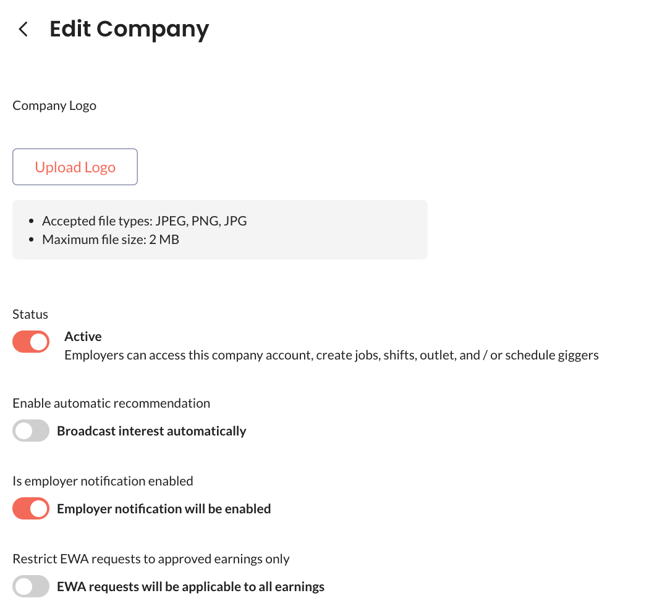
Manage your business preferences with ease. At any time, you can update your company and account manager profiles, toggle employer notifications, adjust your profile status, and set restrictions for Early Wage Access (EWA).
Finance
Within the Finance menu, users can monitor and review billing and transaction histories and manage payment approvals.
Tools
Our all-in-one platform allows you to access more advanced tools such as reports, attendance dashboard, blacklist report, deployment status, a glance into your future shift, rating management, team management module. You can invite more users and give them the correct access in the team management module in “Tools”.