-1.png?width=300&height=51&name=FastJobs%20FastGig%20Logo%20(1)-1.png)
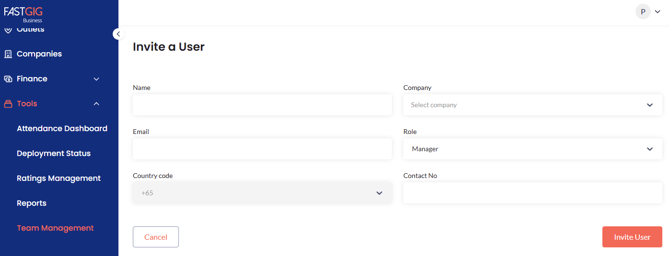
Managing your team takes just a few clicks! On FastGig Business, you can add, edit, or remove users in just a few steps. Log in to your account, go to Tools, and select Team Management.
In the top right corner, click “+ Invite a User” and fill in the details below:
- Name
- Company
- Role (Manager, Owner, or Supervisor)
- Contact No.