Adding two-factor authentication (2FA) is one of the easiest and most effective ways to give everyone on your team an extra layer of protection and peace of mind.
Who can manage this setting?
You’ll need to be an Organization Admin or Company Admin to update this setting. Not sure who that is on your team? You can easily check by navigating to Company Users under Settings.
How to Turn On 2FA
-
Log in to your Employer Dashboard.
-
Navigate to Settings > Two-Factor Authentication.
-
Switch the toggle to On.

-
When the confirmation pop-up appears, click Turn on 2FA.
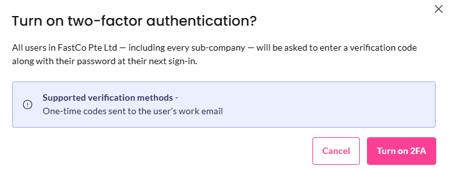
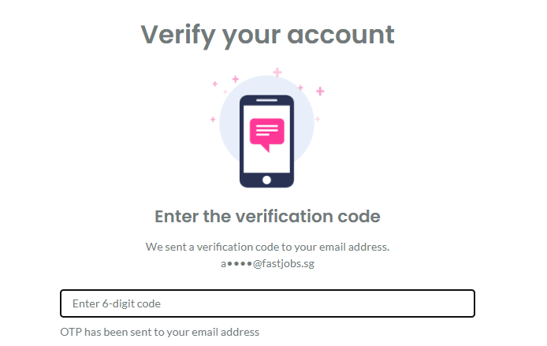
✨ That’s it! From now on, whenever a team member logs in, they’ll simply enter a 6-digit verification code sent directly to their registered email.
What's next?
Now that your account is secure, you're ready to find your next great hire! Check out our step-by-step Guide to Posting Jobs on FastJobs to get your opening live and attract top talent in minutes.