-1.png?width=300&height=51&name=FastJobs%20FastGig%20Logo%20(1)-1.png)
Getting started with FastJobs is super easy! Just follow these quick steps, and you'll be ready to land your next role in no time.
Steps to register
- Step 1: Download the FastJobs app
Head over to the Play Store (Android) or App Store (iOS) to download the app directly to your phone. - Step 2: Enter your email
Open the app, type in your primary email address, and tap [Continue]. - Step 3: Secure your account
Fill in your Name, Mobile Number, and create a strong password to keep your account safe.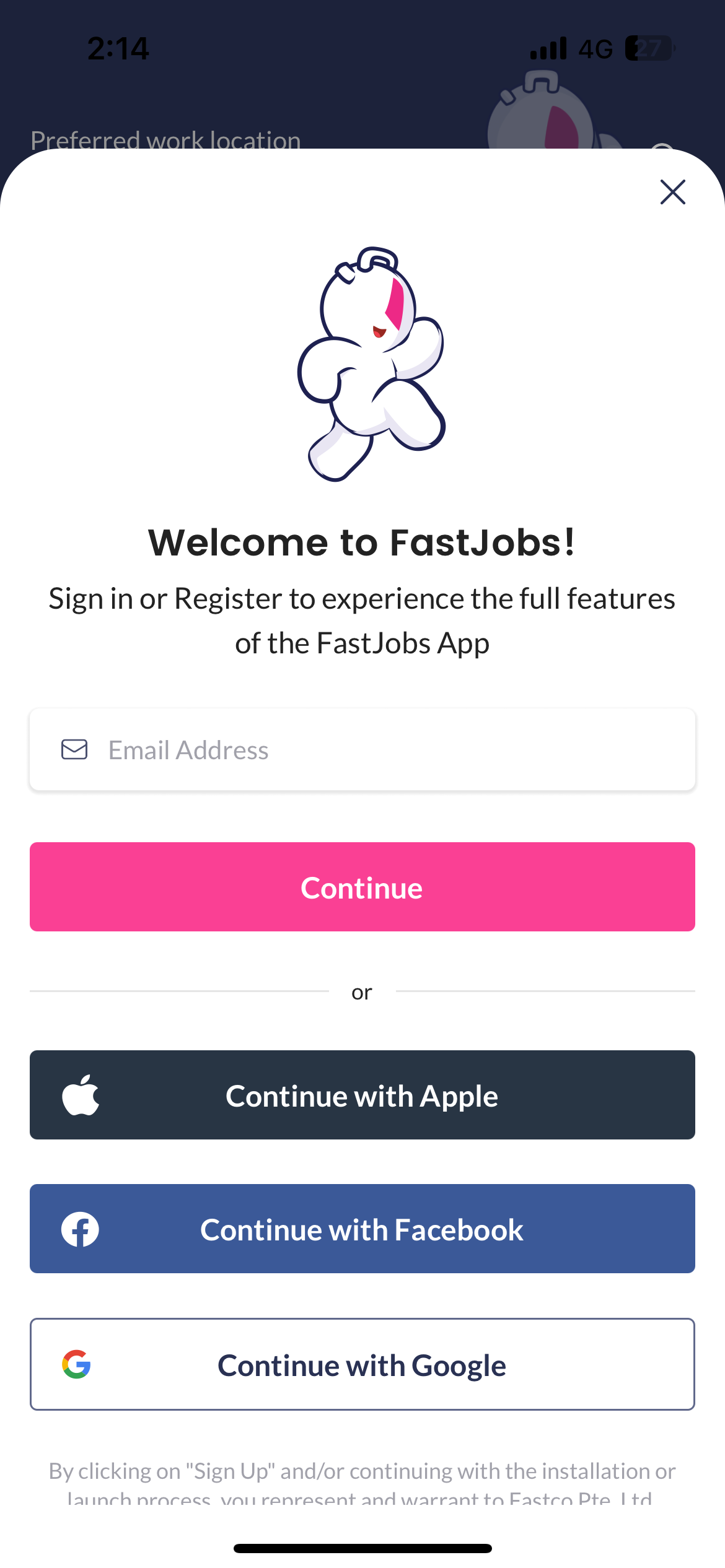
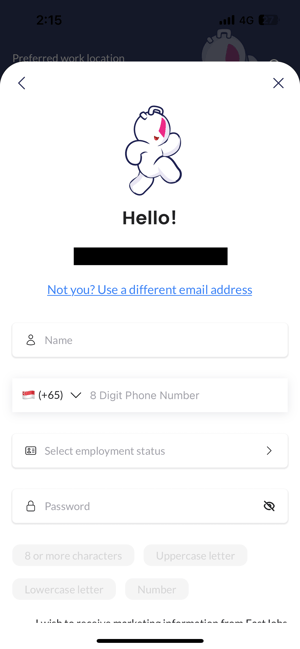
- Step 4: Add your baseline details
Select your highest education level, current employment status, and the languages you speak so we can start tailoring your feed.
And that's it—your brand-new account is officially good to go!
💡 Pro Tip: First impressions count!
Before you jump into the job feed, take a quick moment to upload a clear, friendly profile photo. Having a picture helps put a face to your application and instantly boosts your chances of catching an employer's eye.
✨ What's new?
One Account for FastJobs & FastGig
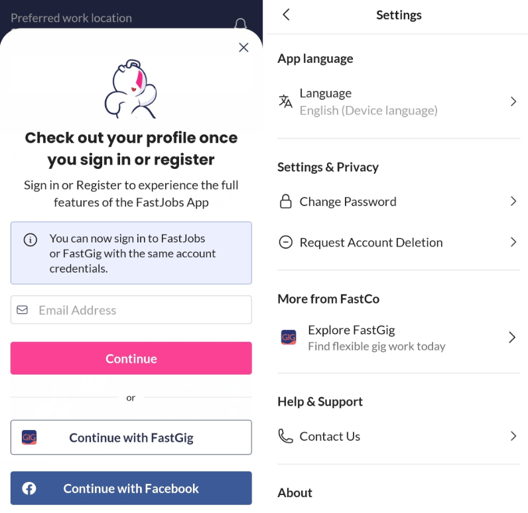
We’ve made moving between apps seamless! You can now use your credentials across both FastJobs and FastGig without the hassle of multiple logins.
What to expect:
-
Seamless Sign-In: Log in once, and you can transition between FastJobs and FastGig without needing to type your password again.
-
Automatic Detection: If you already have an account on one app, the other will recognize you automatically. If you're new, your basic details will pre-fill to speed up your registration!
-
Explore More: Check out the new "More from FastCo" section in your Settings menu to explore our growing ecosystem.
Note: To enjoy this smooth cross-app experience, please make sure you have updated both the FastJobs and FastGig apps to their latest versions via the Play Store or App Store.
What's next?
Now that your account is live, let's make sure employers actually notice you! Just having an account is a great start, but a complete profile is your ticket to getting hired faster. Head over to our [Jobseeker’s Guide to Profile Completion] to see how tracking your completion percentage can unlock a better profile rating and put you right in front of top companies!
%20(1).png?width=670&height=215&name=image%20(42)%20(1).png)